

Event
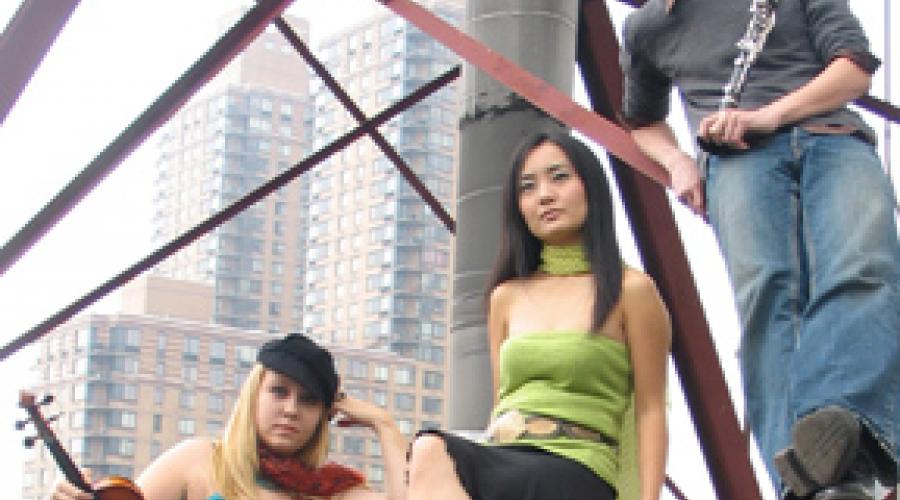
The ZODIAC TRIO
Tue, February 14, 2012, 4:00am
Tuesday, February 14, 2012 - 04:00
General Price
$10.00
Student Price
$5.00
A look back at some items in our archives.

Friday Lecture
+ Tuesday: Modularity
- Abstractions/Encapsulation
- Arguments and Attributes
- poly~
+ Building Interfaces
- bpatcher
- pvar
- presentation mode
- jsui
- Big Patch: probablistic, harmonic cloud maker
+ Building bigger ptaches
- polyphonic sampler
+ Audio Analysis
+ Real-time Analysis Tools
- fiddle~
- yin~
- analyzer~
- iana~
- MSP Jimmies~
NOTE: what you need to get this night's patches happening:
+ Monday: Programming Max/MSP/Jitter
- Intro
- Who is Max?
+ Who made Max?
- David Zicarelli
+ Wednesday: Gestural Control
- Guest: David Wessel and The Slab
- Controller museum: the cream of the crop
+ Gestural Control: CNMAT's online database of controllers
+ History, Benefits and the Present
+ Connectivity
- MIDI
- USB
- OpenSoundControl
- Analog signals
+ Thursday: CNMAT, Sofware, Tools, Resources
- Guest: John MacCallum and Andy Schmeder (CNMAT)
+ CNMAT Tools part 1
- see CNMAT's downloads page and the Max/MSP/Jitter Depot
Press F4 (Fader Mute) to disengage physical fader movements that cause lots of noise when doing critical monitoring
1394 light shows green when 002 has good contact with Pro-tools LE software
EDIT WINDOW TIPS
QUICK AUDITION: option click in regions to audition a track quickly
SCRUB: hold down "control" and move mouse over audio
MARKERS ON FLY: while playing hit enter key on numeric key pad to add a marker (markers window is located at window/memory loactions)
# Characters
When in doubt, stick to a-z, A-Z and numbers. To be safe on multiple operating systems, avoid these characters:
Asterisk *
Pipe |
Brackets < >[ ]
Question mark ?
Equal sign =
Plus sign +
Percent sign %
Quotes "
Slashes \ /
Comma, Period, Colon, Semicolon , . : ;
(Currently, we have a lot of + signs in our depot without incident, but it's still worth avoiding.)
This is some of the work done by Kai Siedenburg and David Wessel on this subject.
Presently micro-OSC supports the PIC18F2455, PIC18F4550, and PIC18F4553.
We like the USB-enabled PIC32 processor for the next uOSC port. It has more memory, is much faster and has considerably more digital and analog pins. The 16 ADC channels are 10-bit though not 12-bit as in the PIC18F4553.
micro-OSC does not yet run on the Arduino. Some unfortunate design choices on the Arduino make it challenging to achieve good performance of uOSC as we have for the PIC.
Richard handles all the purchasing. Except for things that Edmund wants, which can go through Jim Coates in the Music Dept.
• Use the hard wire net connection when doing Skype or i-Chat style interviews or lectures in the main room, not Air Bears.
Instruct the guest in the following matters:
• Make sure that the guest has a Skype or i-Chat address and that you have contacted him/her via this method.
SDIF: Sound Description Interchange Format
Welcome to the home page for the SDIF standards effort. We look forward to
your feedback and participation.
Normally, the mixer is the master clock for the whole studio. To set the clock source:
For normal operation, Protools--
Setup/Hardware/Optical Format/ADAT
Setup/Hardware/Clock source/optical.
-[inline-center:protools_clock.png=Setting the Clock Source]
Use the Case Tracker, select Rear Studio and add a new case, assigning it to Jay Cloidt.
We use the op_video module of drupal to manage our web video delivery and transcoding.
The preferred format is H.264 with 640x480 videos and AAC 44.1kHz stereo encoded audio.
The module will transcode into this format automatically if you provide a different format but this transcoding
Watch this video:
http://www.youtube.com/watch?v=3j1Wdc-ymbI
or this one:
http://www.youtube.com/watch?v=lLwwB29uQRg&feature=related
NOTE: The O2R digital mixer is now stored in the Music Department. For info contact Jay Cloidt: jjcloidt [at] berkeley [dot] edu
CNMAT's Main Room ADAT Lightpipe Patch Bay
It is possible to send and receive digital audio via Alesis' 8-channel ADAT LightPipe optical format in CNMAT's main room from various sources, for instance: