

Event
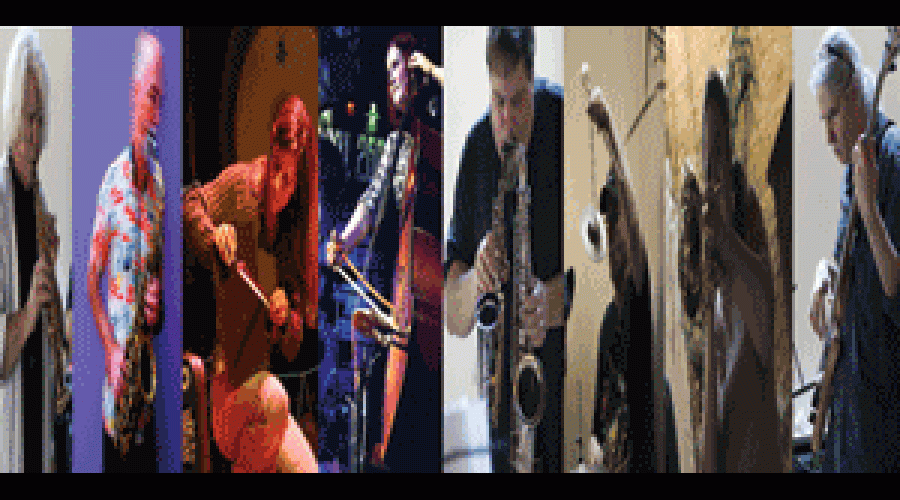
Open Sound West Presents: Golia, Adams, Stackpole, Mezzacappa Meeting and Lords of Outland
Sat, October 27, 2012, 4:00am
Saturday, October 27, 2012 - 04:00
General Price
$10.00
Student Price
$5.00

A look back at some items in our archives.


# What we have provided
- "percussion-buffers", a small patch which reads nine percussion sound files into nine buffers.
- "simple-sampler~", a straightforward sample-playback synthesis patch based on play~. There is also a help patch that shows how to use simple-sampler~.
- "simple-draw.maxhelp" draws triangles, squares, and circles into an LCD object.
# Your assignment
Using the audio and visual patches provided, build a four voice poly-rhythmic metronome.
Hint: Use the metro object.
Friday Lab
#When, where, who
- The workshop runs July 14-18, 11 AM-4 PM (Lecture 11-12, lunch break 12-1, lab session with instructor support 1-4)
- CNMAT is located at 1750 Arch Street, Berkeley, CA
- Instructors: [cnmat:node/509|Michael Zbyszynski] and other experienced Max/MSP/Jitter teachers
The workshop will be held in the Main Room at CNMAT.
Live processing
by Vijay S. Iyer
# Teacher
Andrew Benson
email: andrewb [at] cycling74 [dot] com
AIM screen-name: cloudmachine99
#Description:::
Jitter is an extension to Max that allows flexible generation and manipulation of video, matrix, and 3D graphics data.
Max/MSP/Jitter is a graphical environment for music, audio, and multimedia that runs on both Macintosh (OSX) and Windows XP platforms.
# Hardware Setup:
- Components:
- Icosahedron
- Ethernet cable and female-to-female extender
- Word-clock sync cable and female-to-female extender/junction
- Firewire cable
- Rimas box
- Beamserver (mac mini)
- Power supply
- RangeArray sensor
- Pole mount
# Setup Proceedure
1. Connect Icosahedron to gigabit ethernet switch
2.
Internal sensor data arrives as input audio channels from the icosadehron.
# Current
Audio channel #1; multiply by factor 6.0 to get power utilization in amps.
Username and password are synchronized to the CNMAT website login. Access requires membership in the "Research - Spatial Audio" group.
Checkout software from subversion:
svn co https://cnmat.berkeley.edu/svn/repository/spatialaudio
View online:
[cnmat:node/6053|Giuseppe Arcimboldo]
[cnmat:node/6054|Giocomo Balla]
[cnmat:node/6055|Mikalojus Konstantinas Ciurlionis]
[cnmat:node/6056|Theo van Doesburg]
[cnmat:node/6057|Marcel Duchamp]
[cnmat:node/6058|Wassily Kandinsky]
[cnmat:node/6059|Frantisek Kupka]
[cnmat:node/6060|Paul Klee]
[cnmat:node/6061|Étienne-Jules Marey]
[cnmat:node/6062|Laszlo Moho
Acquiring a New Musical System
by
Psyche Loui
B.S. (Duke University) 2003
A dissertation submitted in partial satisfaction of the
requirements for the degree of
Doctor of Philosophy
in
Psychology
in the
Graduate Division
of the
University of California, Berkeley
An experiment which explores settings of a multiband compressor using a 2d-interpolation user interface.
This technological proof-of-concept demonstrated a real hearing aid reprogrammable in realtime using 2d interpolation over presets. The hearing aid is the Starkey Labs behind-ear type, programmed through a HI-PRO interface.
Open Sound Control was used to link the user interface (implemented with MaxMSP) to the HI-PRO.
[inline-center:1]
[inline-center:2]
[inline-center:3]
[inline-center:4]
[inline-center:5]
- Significant time requirement to program hearing aid prohibits full-rate interactive reprogramming. HI-PRO is ~ 2400 baud.
- Main Screen
[inline-center:1]
- Current Hearing Aid Configuration
[inline-center:2]
- 2D Interpolation UI
[inline-center:3]
# Main:
- /init
- /close
- /exit
# Instrument:
- /Instrument/0 : right side hearing aid
- /Instrument/1 : left side hearing aid
## Instrument Operations
- /Instrument/\*
- /activateMemory (int) : load and activate memory (1-4)
- /enableOutput (int)
- /reboot
- /readMemory
- /writeMemory
- /writeBlock
- /writeFirmware
- /readFirmware
-
CPHS Protocol #2008-7-30: “The Design of Digital Hearing Aids that Provide Satisfy ing Music Listening Experience”
Expires 8/12/2009. Renewal period opens 8 weeks prior.
Office for the Protection of Human Subjects(OPHS)
2150 Shattuck Avenue, Suite 313
Berkeley, CA 94704-5940
PH: (510) 642-1674
FAX: (510) 643-6272
cphs@berkeley.edu
# Training Instructions
Here are 7 objects on the bottom side of each object is a picture of a shape. The shapes may be different types, sizes and colors. You need to arrange the shapes on this board such that the shapes you perceive as similar are close together and those that are different are far apart.